Important settings for the app
Few important settings are needed to run the app. Without these settings app can't do some process.
Delivery settings
Delivery settings is one of the most important settings for the app. Delivery settings mean which settings your app will use to send mail. Most of the mail in app are user invitation mail, password reset mail, Notification mail.
You can setup mail from here: Settings > App Settings > Delivery
App delivery settings will mostly use for user invitation and password reset mail. Also if you choose mail notification channel from notification settings then this will also use for sending notification mail. You can find this settings from App panel navigation menu.
You have four option to set up delivery settings
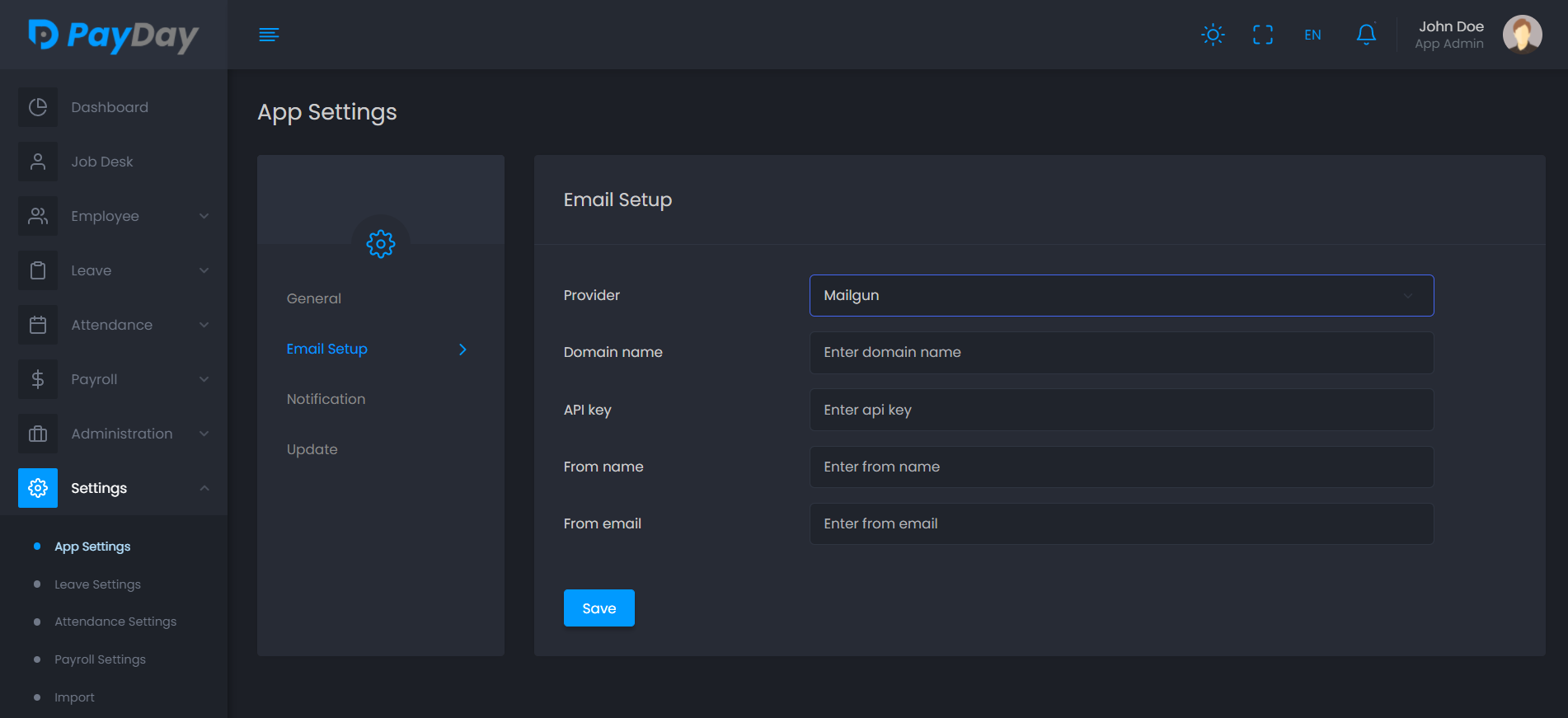
1. Mailgun
To set up Mailgun you will need a Domain name ( Here is how you can add domain in mailgun), API key, From name, From email.
2. Amazon SES
Amazon SES needed Api Region, Access Key ID, Secret Access key, From name and From email to set up.
You also have to verify the email address which you are using as from email.

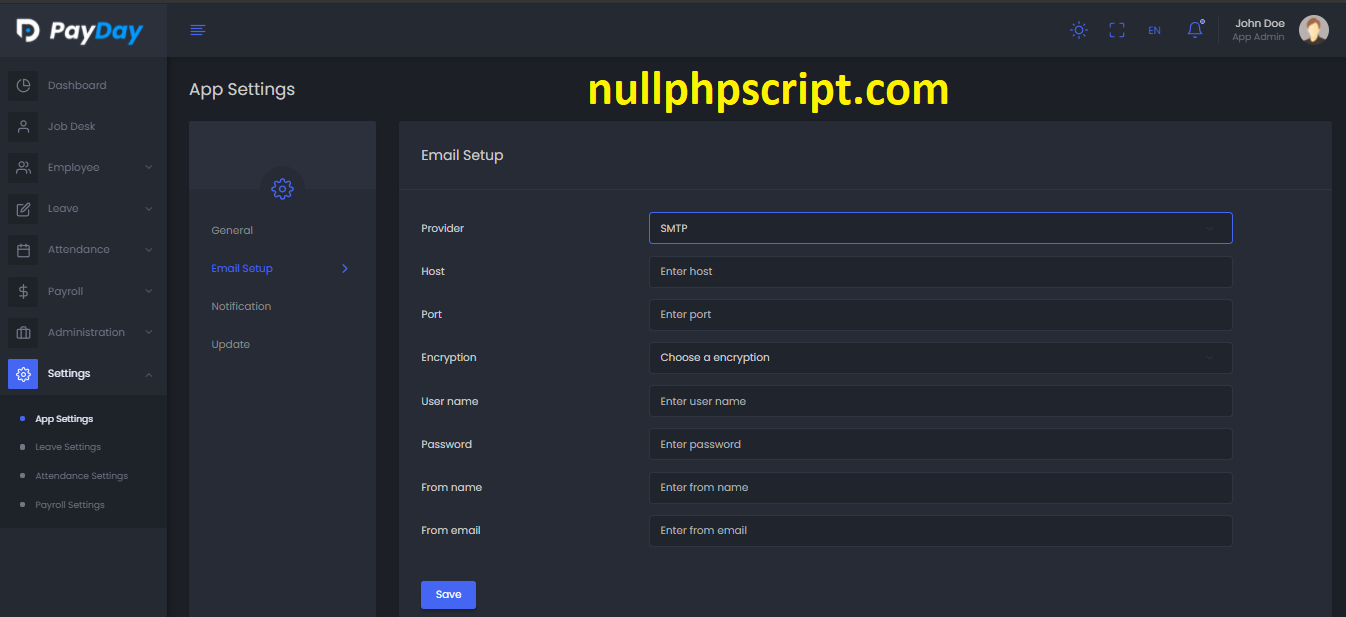
3. SMTP
SMTP needed hostname, port, encryption, username, password, From name and From email to set up.
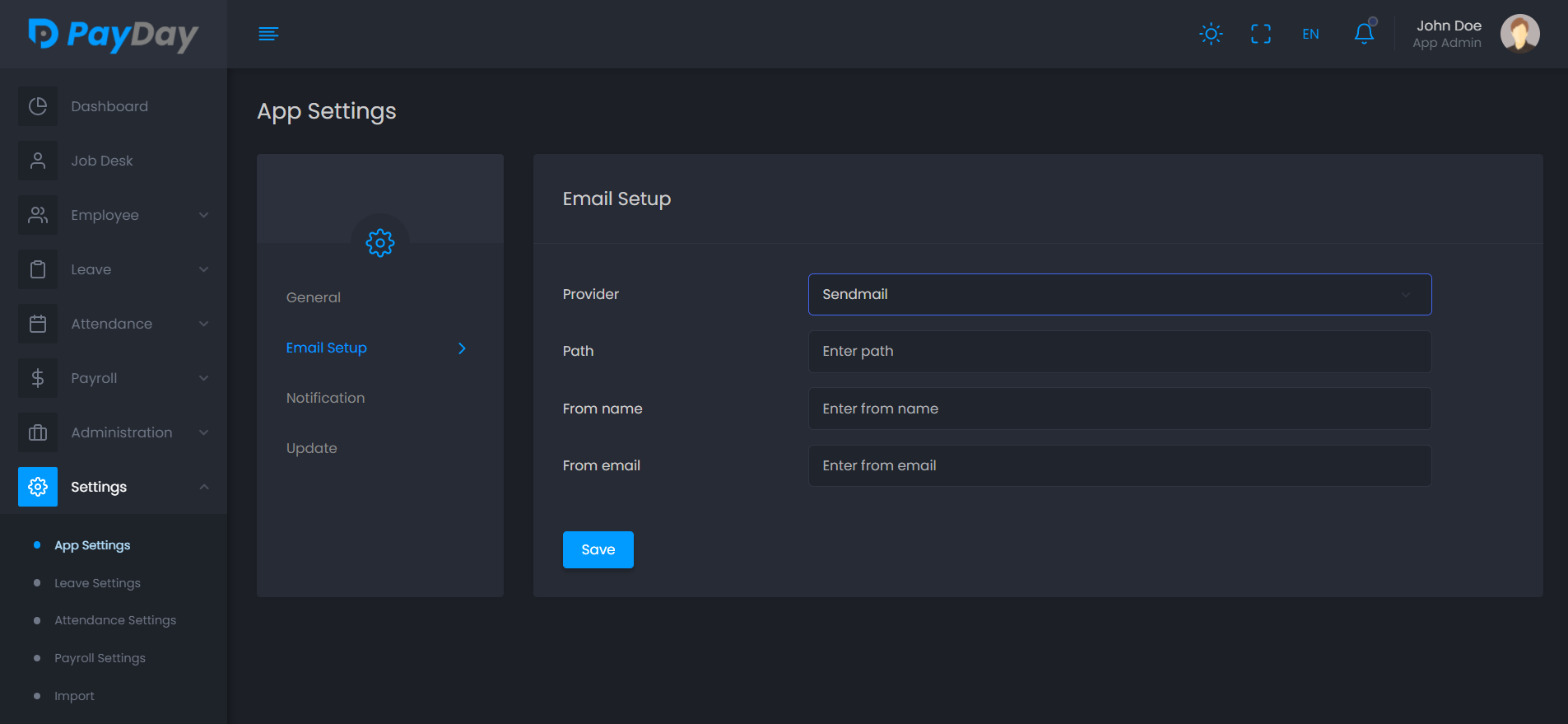
4. Sendmail
Sendmail needed path(optional), from name and from email to set up.
Set up scheduler
Adding delivery settings will not send the mail.
To process mail and payslip we use scheduler and queue.
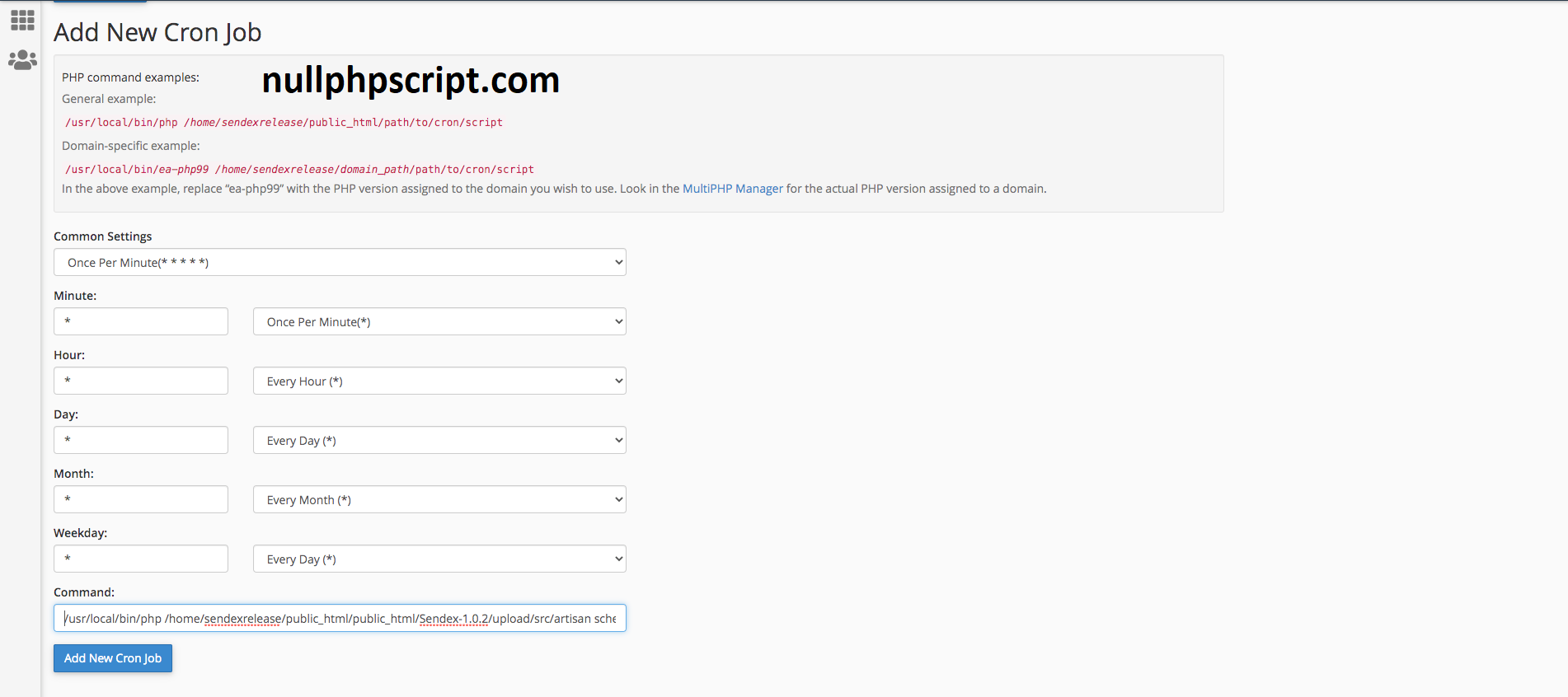
You need to add Cron Job for the scheduler.
Run scheduler
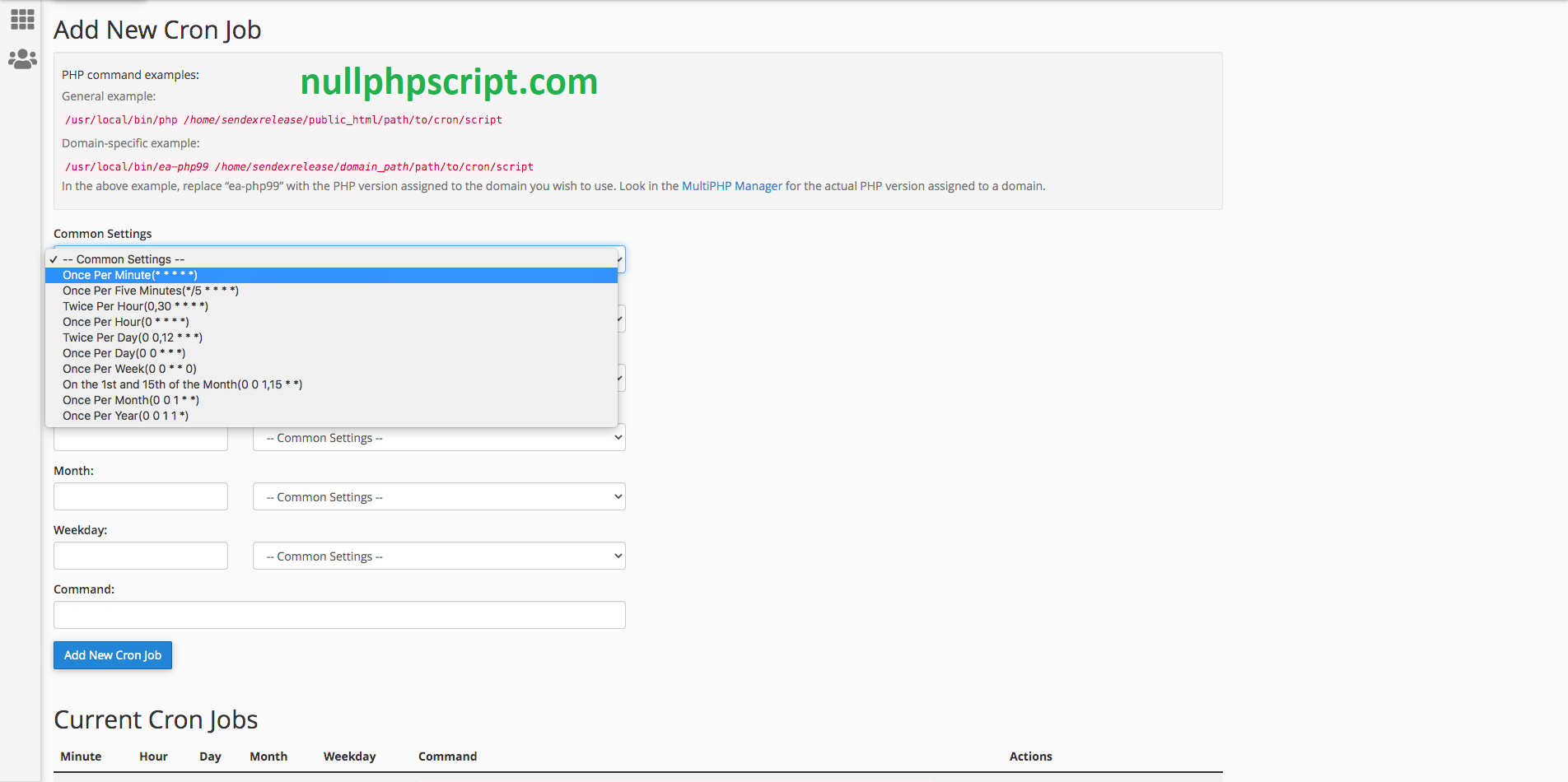
- Search for the Cron Job in your cPanel.
- Click and go into the setup page for your Cron job.
- Select “Once per minute” from Common Settings.
- Run this command in to the “Command:” field
/path/to/php
/path-to-your-project/src/artisan
schedule:run >> /dev/null 2>&1
Example:
/usr/local/bin/php
/home/payday/public_html/Payday-1.0/upload/src/artisan
schedule:run >> /dev/null 2>&1